Quick Start
The VideoCraft workflow is:
New project → add material (source video + subtitles + chapters) → generate creations (Clip / News Desk Video)
Six steps
Section titled “Six steps”- Create a project.
- Add a News Video material: paste a video link (downloaded via the built-in yt-dlp) or pick a local file; optionally trim to a time range.
- Subtitles: one-click ASR (speech-to-text) / import SRT / translate / quality-check & auto-fix.
- (Optional) organize chapters, or fill in the AI news context (15 fields — host, event, key points… AI can web-search to draft them, then you review).
- Generate a creation:
- Clip — batch-cut short clips from subtitle hotclips;
- News Desk Video — a full video with bilingual subtitles, lower-third name plates, and a chapter strip.
- Configure styling (subtitles / text & image watermarks / hook & outro cards / chapter strip) → render.
What it looks like
Section titled “What it looks like”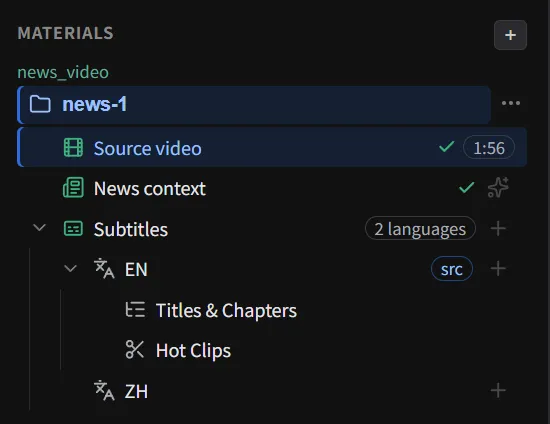
The material tree of a project — one source video, bilingual subtitles, chapters and hotclips.
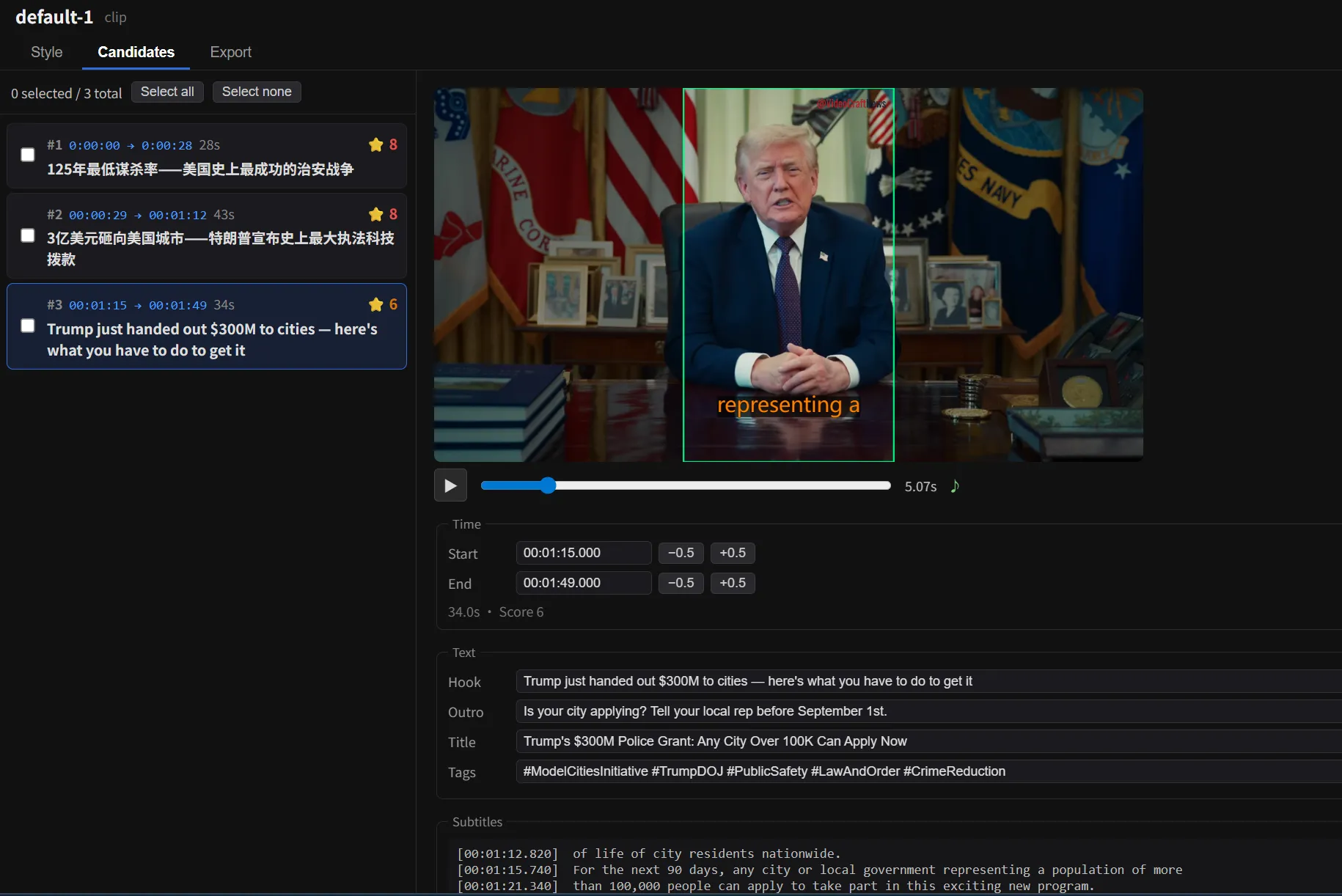
Clip workbench — pick hotclip candidates on the left, preview the styled short video on the right.
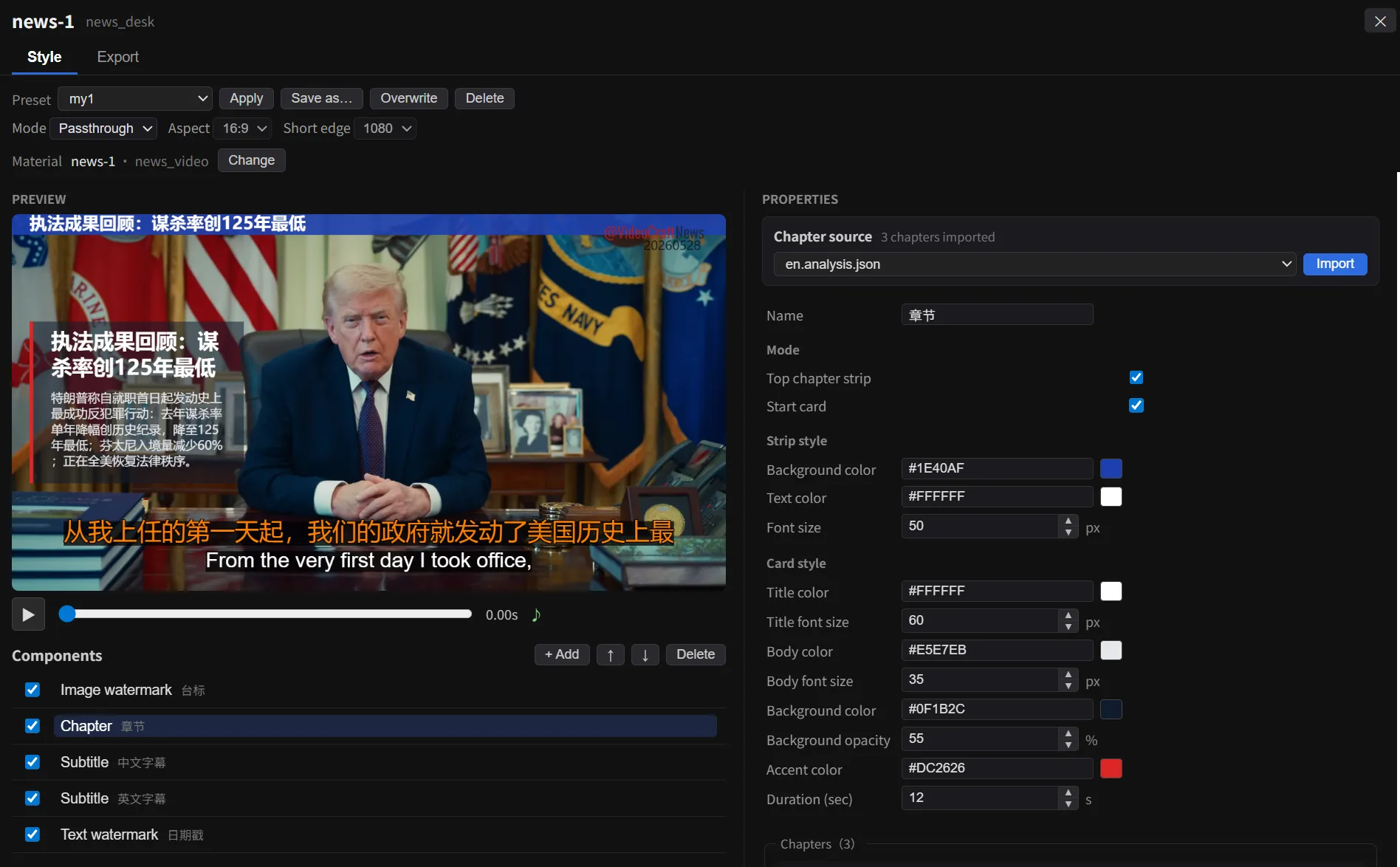
News Desk workbench — bilingual subtitles, lower-third name plate and chapter strip, styled live in the preview.
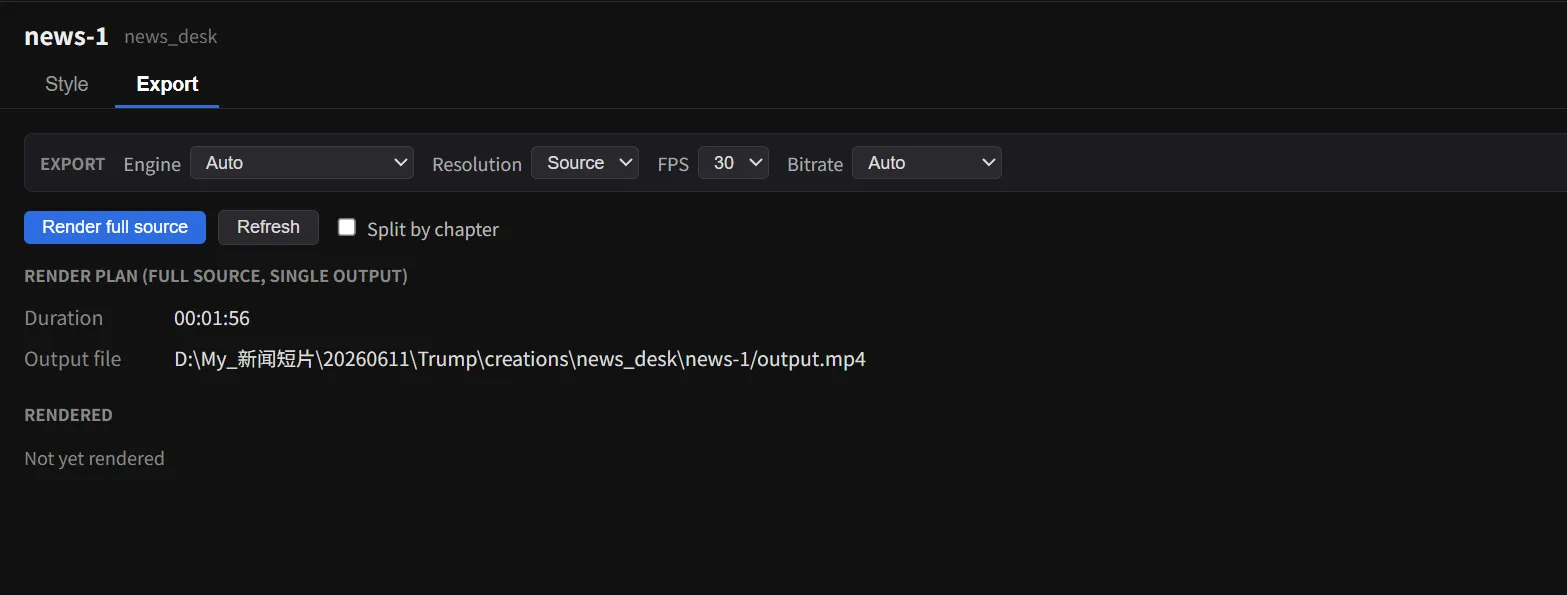
Render & export — pick engine / resolution / fps / bitrate, optionally split the output by chapter.
About AI (optional, never forced)
Section titled “About AI (optional, never forced)”The core video features need no AI. When you want ASR / translation / analysis, enable it from the AI and Models panels — three tiers, pick any, mix freely:
- Built-in local — download local models in the Model Manager (e.g. faster-whisper): runs offline, no key needed;
- Self-hosted aistack — point at your own gateway;
- Cloud API — bring your own key (Gemini / DeepSeek / Groq / LemonFox …), pay the provider directly — VideoCraft takes no cut.
Optional GPU acceleration is available in the Model Manager (CUDA runtime). Every download and config step is strongly guided but skippable.
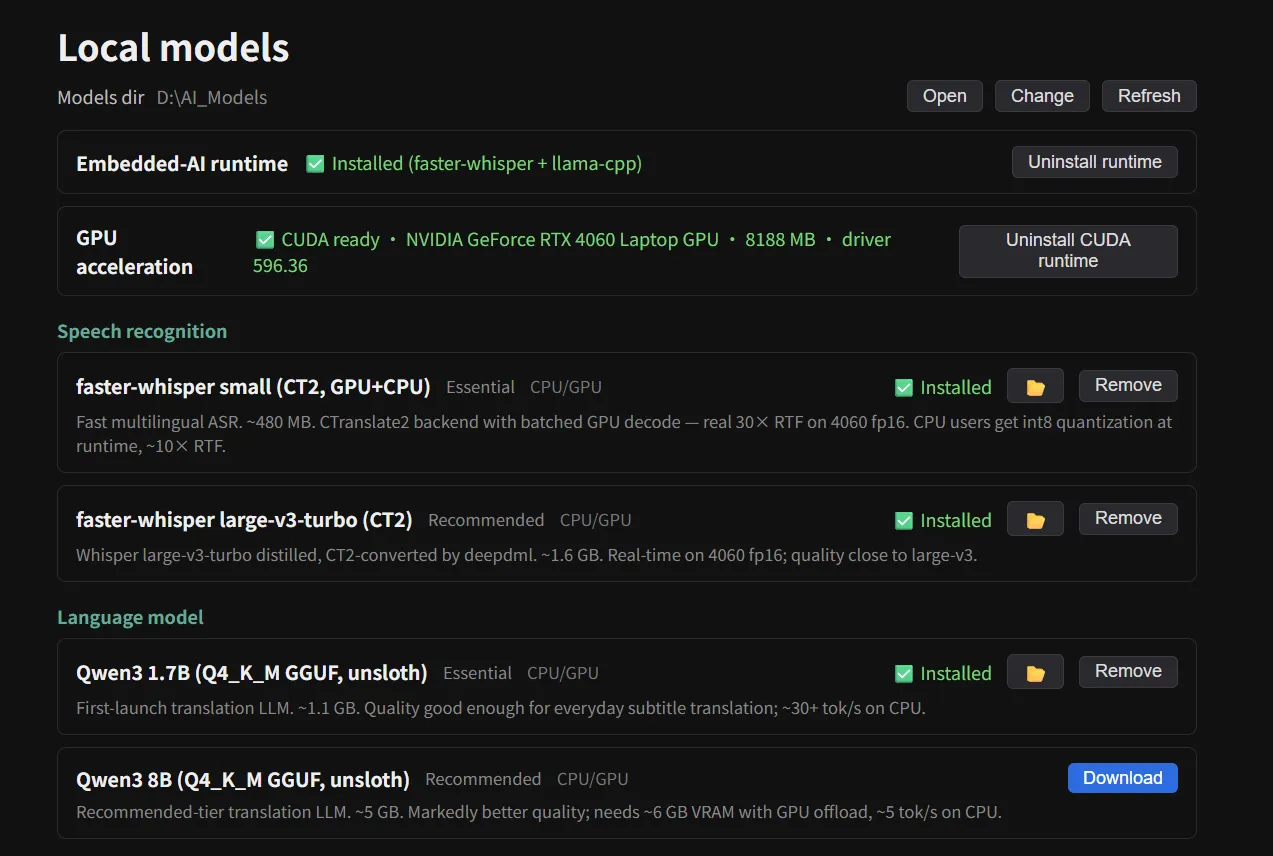
The Model Manager — embedded AI runtime, GPU acceleration and local models, each a one-click install.